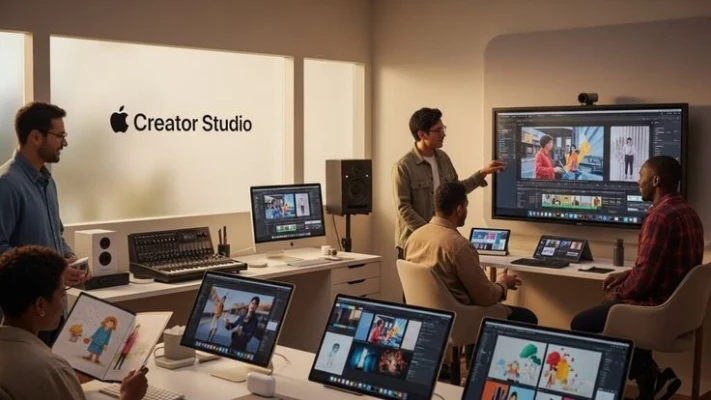
Apple Creator Studio is a general term people use for Apple’s tools and platforms that help creators make, manage, and publish digital content. These tools are useful for bloggers, podcasters, video editors, designers, and app developers who work inside the Apple ecosystem.
This article explains what Apple Creator Studio means, which Apple tools are involved, and how real creators use them in daily work.
What Is Apple Creator Studio?
Apple Creator Studio is not one single app. It usually refers to a collection of Apple tools that support content creation. These tools help creators:
Write and edit content
Record and edit audio or video
Design visuals
Publish content on Apple platforms
Apple focuses on quality, privacy, and stability, which is why many professionals prefer its tools.
Main Tools Used in Apple Creator Studio
1. Apple Podcasts Connect
This tool is used by podcasters to manage their podcasts on Apple Podcasts.
Creators can:
Upload podcast episodes
Edit show details
Check listener statistics
Manage publishing settings
It is useful for people who want clear data without complex dashboards.
2. Final Cut Pro
Final Cut Pro is a video editing software for macOS.
It is often used for:
YouTube videos
Educational content
Short documentaries
The interface is clean, and editing is fast on Mac devices.
3. Logic Pro
Logic Pro is for audio creation and music production.
Creators use it for:
Podcast editing
Voice recording
Background music
It is popular because it works smoothly with Apple hardware.
4. Pages and Notes
Many writers and bloggers use Apple Pages and Notes for drafting content.
Benefits include:
Simple layout
iCloud syncing
Clean writing experience
These tools are good for planning blog posts and scripts.
How a Blogger Uses Apple Creator Studio
Ali is a tech blogger who writes in English and Urdu. He uses a MacBook for his work.
His workflow looks like this:
He writes blog drafts in Apple Pages
He records voice notes in Notes when ideas come
He edits short explainer videos using Final Cut Pro
He publishes a weekly tech podcast using Apple Podcasts Connect
Ali says Apple tools help him focus on content instead of technical problems. He does not need many third-party apps.
Why Creators Choose Apple Tools
Many creators prefer Apple Creator Studio tools because:
The system is stable
Apps work well together
Files sync easily with iCloud
The interface is simple and clean
These tools are helpful for beginners and professionals.
Things to Keep in Mind
Apple Creator Studio tools:
Work best on macOS and iOS
May not be ideal for all budgets
Focus more on quality than customization
It is important to choose tools based on your content type and workflow.
Purpose of Apple Creator Studio
The main purpose of Apple Creator Studio tools is to make content creation easier and more organized. Apple designs its apps so creators can spend more time on creativity and less time on technical setup.
Apple Creator Studio tools help with:
Writing and planning content
Audio recording and editing
Video production
Publishing and performance tracking
These tools work well together inside the Apple ecosystem.
Key Apple Creator Studio Tools Explained
Apple Podcasts Connect
Apple Podcasts Connect allows podcasters to manage their shows on Apple Podcasts. Creators can upload episodes, write descriptions, add cover images, and view listener statistics. The dashboard is simple and does not require advanced technical knowledge.
This tool is useful for people who want to publish podcasts without using complex third-party platforms.
Final Cut Pro for Video Editing
Final Cut Pro is Apple’s professional video editing software. It is used for creating educational videos, tutorials, product reviews, and short documentaries.
It offers:
Fast performance on Mac devices
A clean editing timeline
Support for high-quality video formats
Many creators choose Final Cut Pro because it runs smoothly and handles large video files well.
Logic Pro for Audio Work
Logic Pro is used for audio editing and music production. Podcasters and voice creators often use it to clean audio, remove noise, and add background sounds.
It provides:
Advanced audio tools
High-quality sound output
Integration with Apple hardware
Even beginners can learn basic editing with time.
Writing and Planning Tools
Apple Pages and Notes are widely used for writing scripts, blog posts, and content ideas. Pages is helpful for structured writing, while Notes is useful for quick thoughts and planning.
Both apps sync automatically through iCloud, making content accessible on multiple devices.
Advantages of Apple Creator Studio
Apple Creator Studio tools offer:
Stable performance
Simple user interface
Strong privacy protection
Easy file management
These benefits are helpful for creators who want reliable tools without constant maintenance.
Final Thoughts
Apple Creator Studio represents Apple’s ecosystem for content creators. It includes tools for writing, audio, video, and publishing. These tools are practical, reliable, and easy to learn.
If you already use Apple devices, these tools can fit naturally into your daily content creation process.
read more in apple information click